



Talão Vivo
by Cavelgo™
From receipt to shopping list.
Talão Vivo organises grocery shopping from receipts: home inventory, a shopping list with the reason for each item and monthly budget tracking.
Household shopping repeats every week.
Every receipt holds information that is rarely put to use. Talão Vivo turns those receipts into a useful record. It gathers receipts from different shops and links each line to a product in the home inventory.
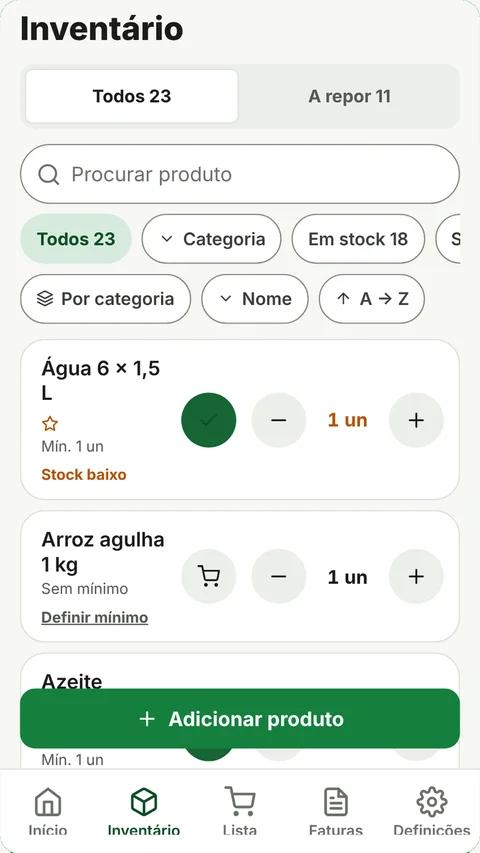
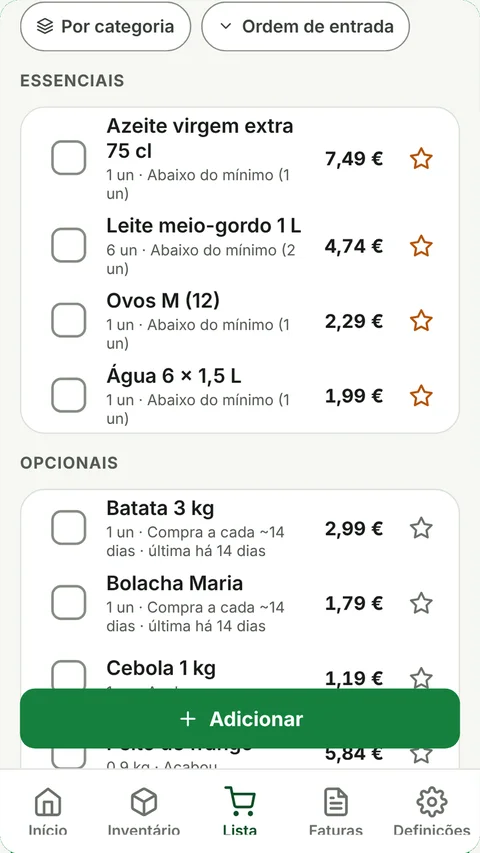
The inventory shows what is in stock and what is below the set minimum. From there, Talão Vivo suggests the shopping list and gives the reason for each item: it has run out, it is below the minimum or it is the usual time to buy it.
For a shop with a fixed amount, the list can be built within a budget, with essential products first.
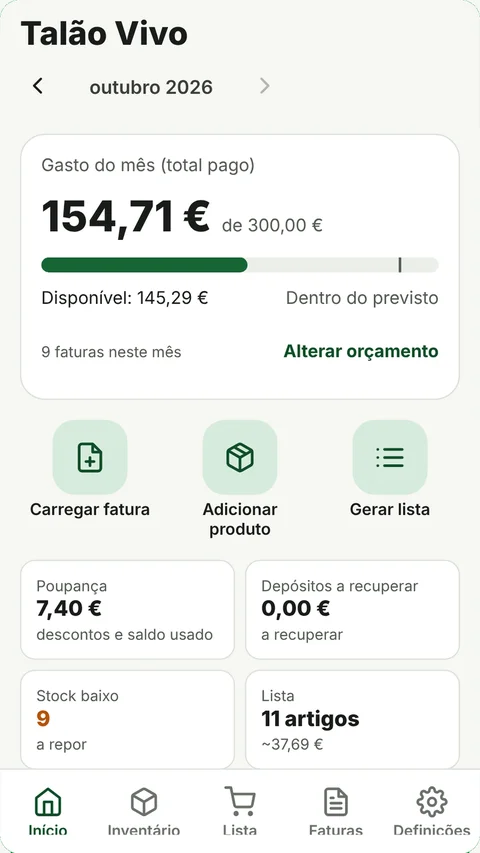
The home screen compares the month's spending with the set budget and shows the amount still available.
Talão Vivo is an Android app, with an interface in Portuguese and English, and stores data on the phone by default.
Every receipt now counts towards the next shop.
Three steps for every shop.
 01
Upload the receipt
The PDF receipt from the shop's app is opened in or shared with Talão Vivo. A photo can also be used.
 02
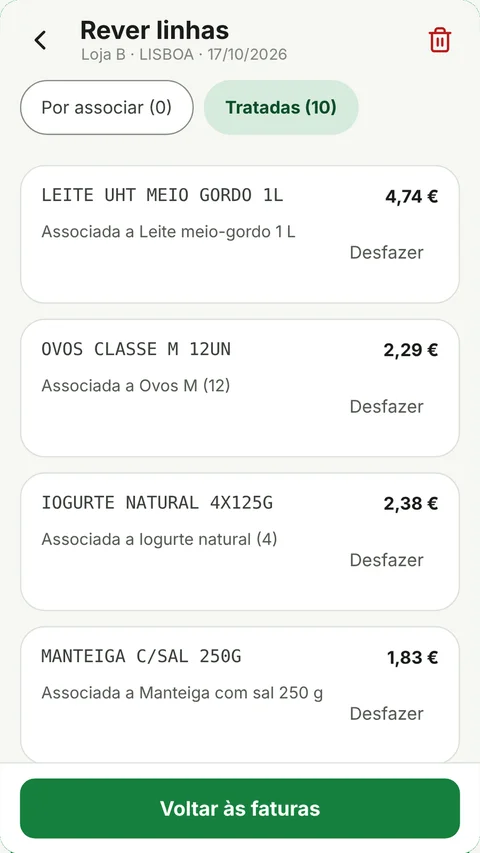
Confirm the lines
The app suggests the matching product for each line and remembers corrections for the following receipts.
- 03
Use the list
The inventory is updated and the shopping list is suggested from the stock and the purchase history.
Everything household shopping requires.
- 01
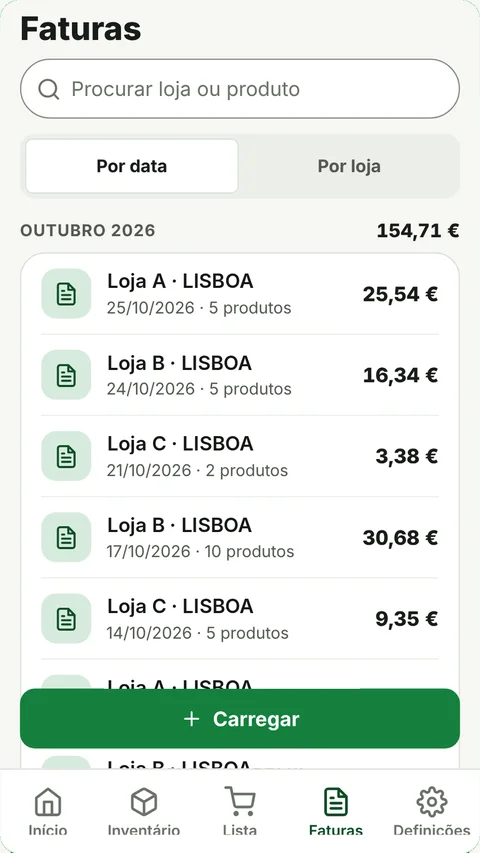
Receipts in one record
Reads PDF receipts from three supermarket chains and checks the totals, with a warning when an amount does not match. For other shops, the receipt is read with artificial intelligence, if that option is turned on, or entered manually.
- 02
Actual spending
Records the amount actually paid, with discounts, loyalty card balance and packaging deposits handled separately.
- 03
Monthly budget
An amount set for the month, with the spending to date and the amount still available.
- 04
Home inventory
Quantity, unit (pcs, kg or L), minimum stock, purchase frequency and essential products.
- 05
Shopping list
Each suggestion gives the reason, such as the usual purchase frequency. One tap adds the item to the list and another removes it.
- 06
Budget list New
Set how much to spend on a shop and the app builds the list within that amount, essentials first and quantities adjusted. If the amount is not enough, it shows the minimum needed before creating the list.
- 07
Shared household
Optional. Links the household's phones to share the list, inventory and receipts, with the content end-to-end encrypted.
- 08
Backup
Export to a folder on the phone or share to another app, and import from the file.
- 09
Every screen
Light and dark themes, text that follows the phone's font size setting and support for the inner and outer screens of foldables.
Data belongs to the people who use it.
Talão Vivo is intended for adults (18+) who do the household shopping in Portugal.
- No ads.
- Data stays on the phone by default.
- The tax number (NIF) and card numbers shown on receipts are not stored.
- In a shared household, the content is encrypted on the phone. The server stores it in the European Union and cannot read it.
- Reading receipts with artificial intelligence is optional and turned off by default. When it is used, only the receipt text is sent, without the tax number (NIF), card numbers, IBAN, email or name.
- All data can be deleted within the app.
Take part in the closed test
Before its release on Google Play, Talão Vivo is in a closed test with real users. Participants are asked to keep the app installed for at least 14 days and to share their experience.
The email is used only to send the invitation and to communicate about the test.