Available · demo on request

Load planning, from pallet to shipping.

Pallet configuration, load plan, transport quotes, shipping schedule and tracking on the loading dock. Cargo Simulator brings load planning and its execution together, in the browser, on the phone and on the tablet.

Price on request · Reply within 2 working days

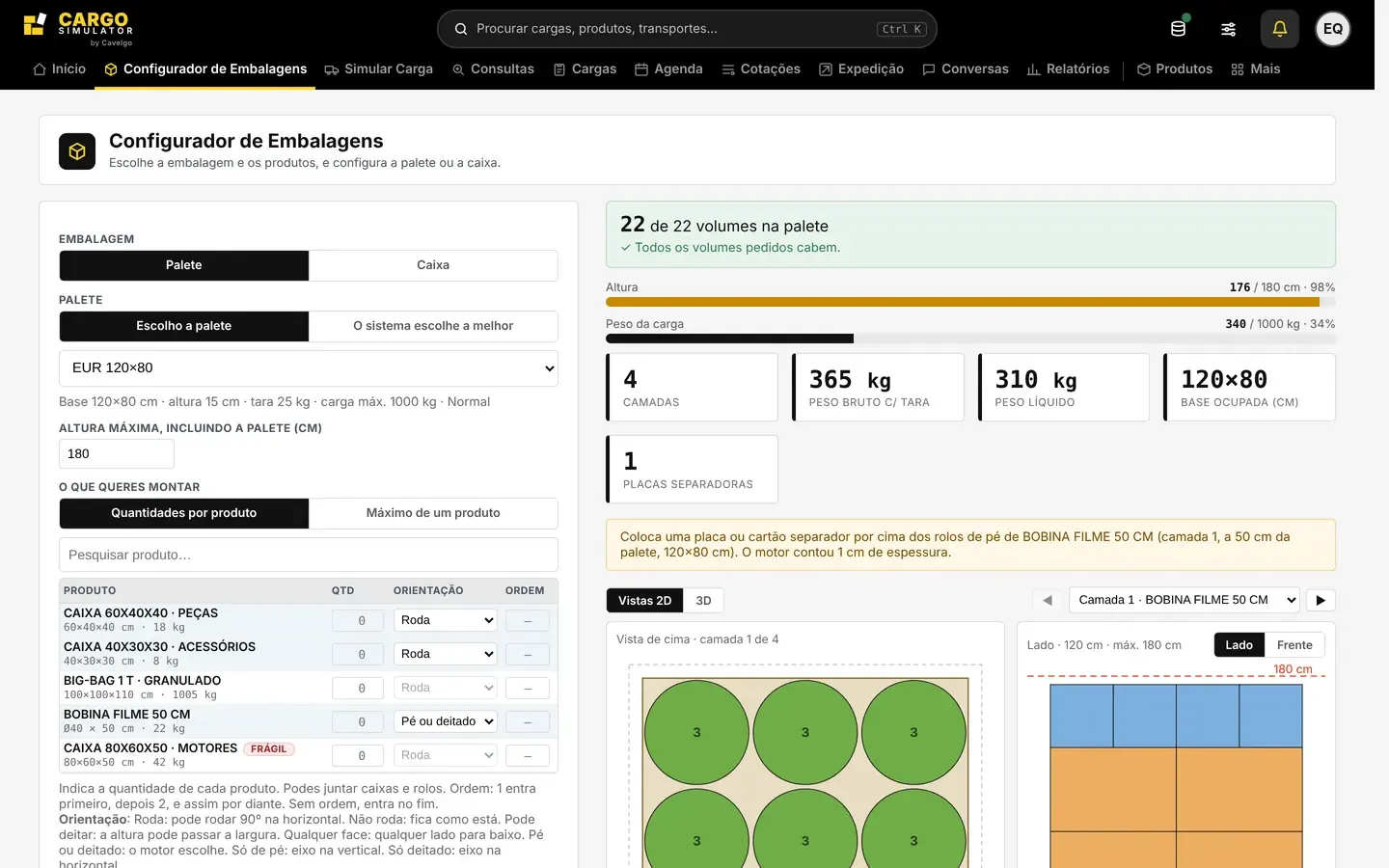
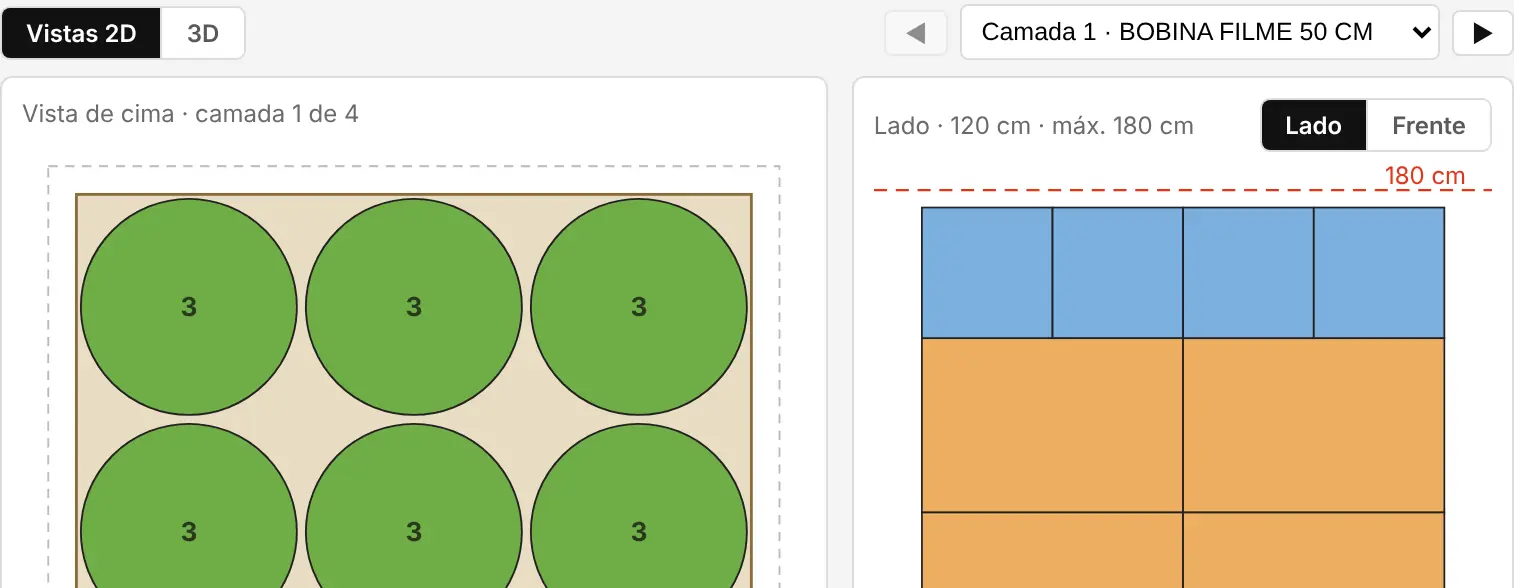
Packaging Configurator on a laptop: four-layer pallet seen from above and from the side (fictitious data).
Pallet configuration
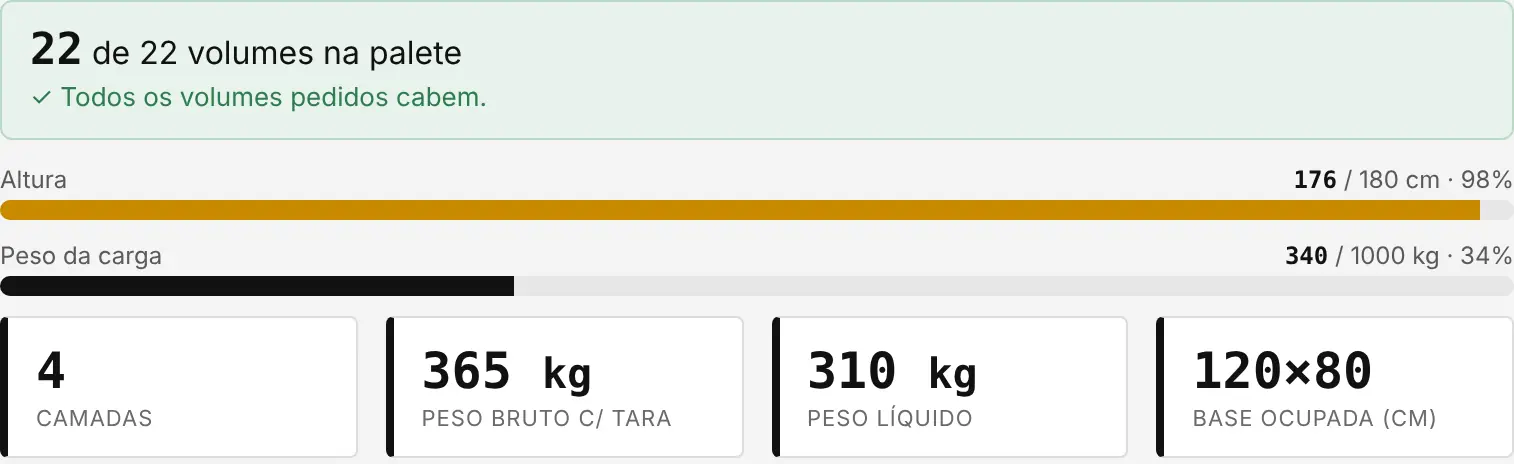
Pallet summary: 22 of 22 packages, 176 of 180 cm and 340 of 1000 kg (fictitious data).
Quotes side by side
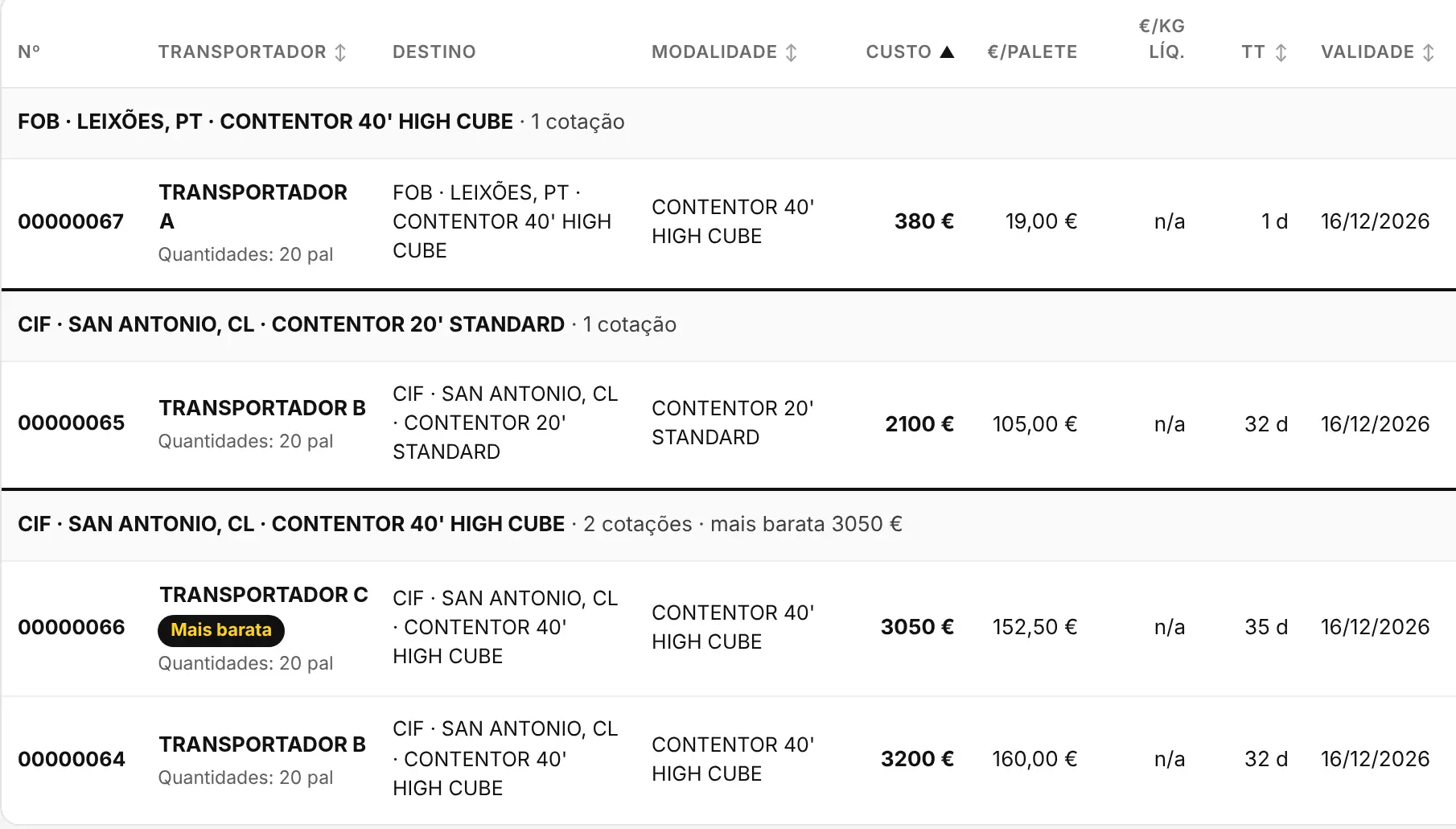
Transport enquiry with four quotes, the cheapest highlighted (fictitious data).
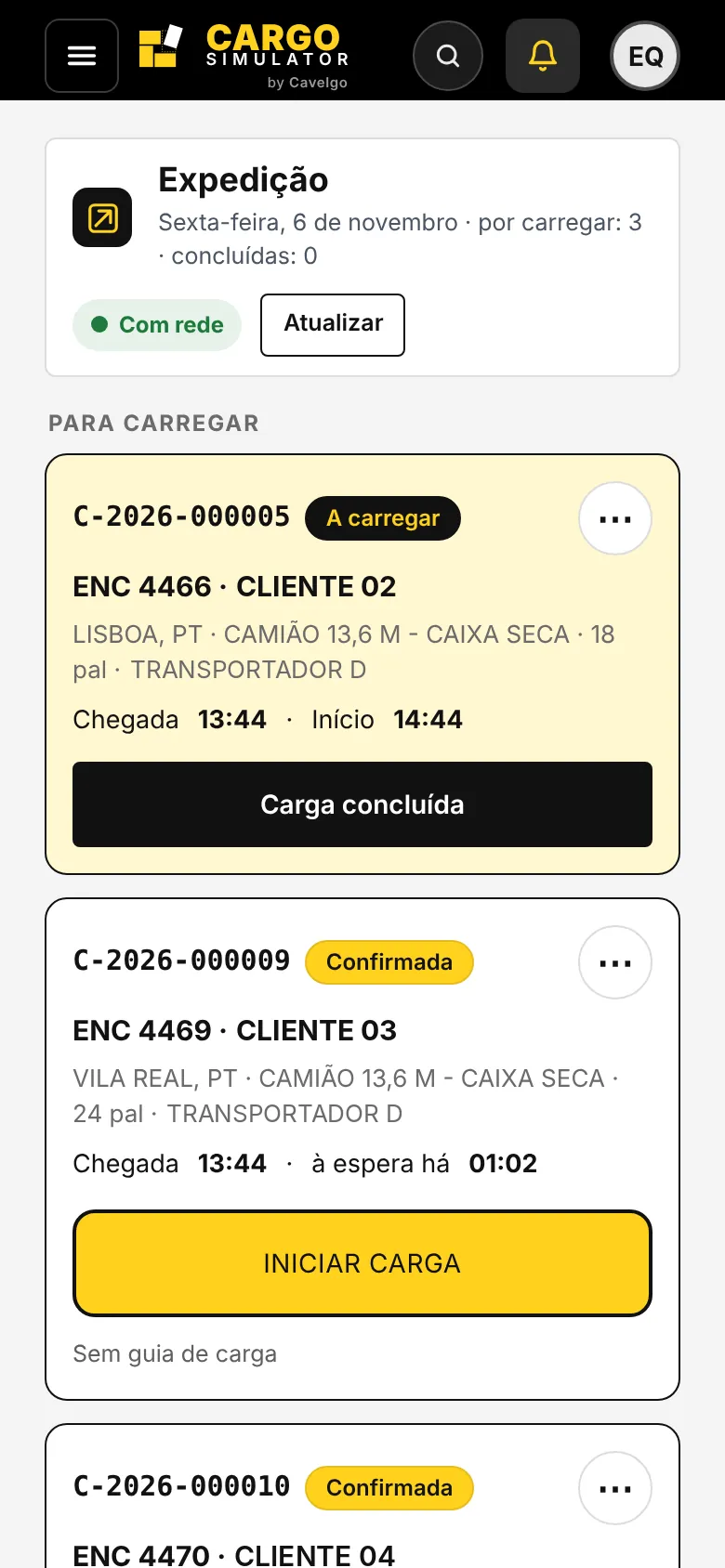
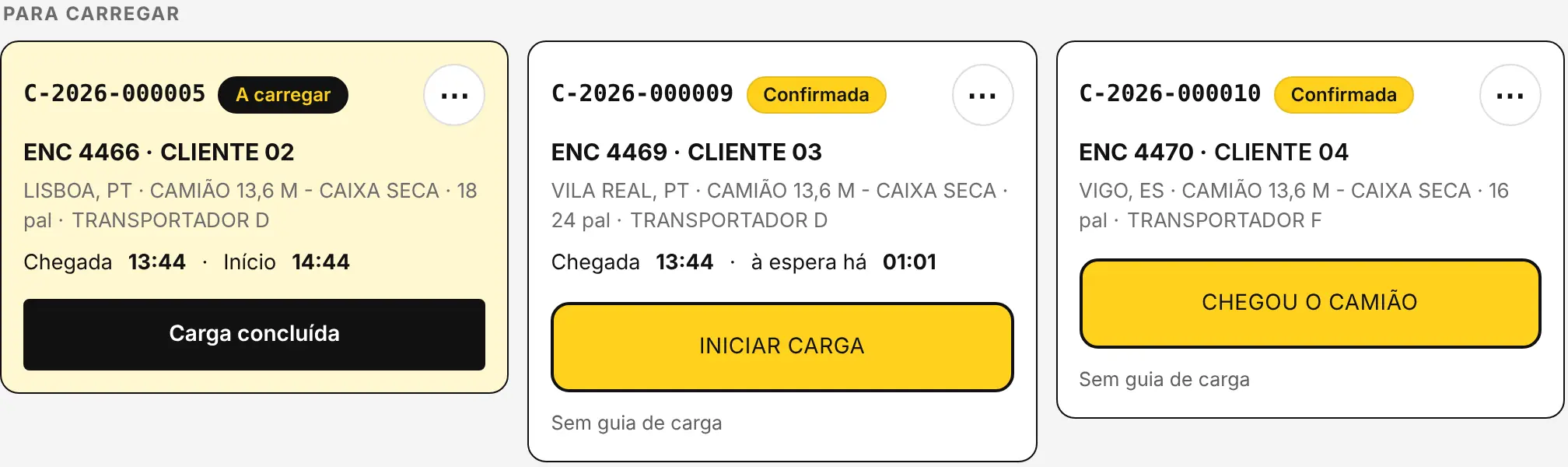
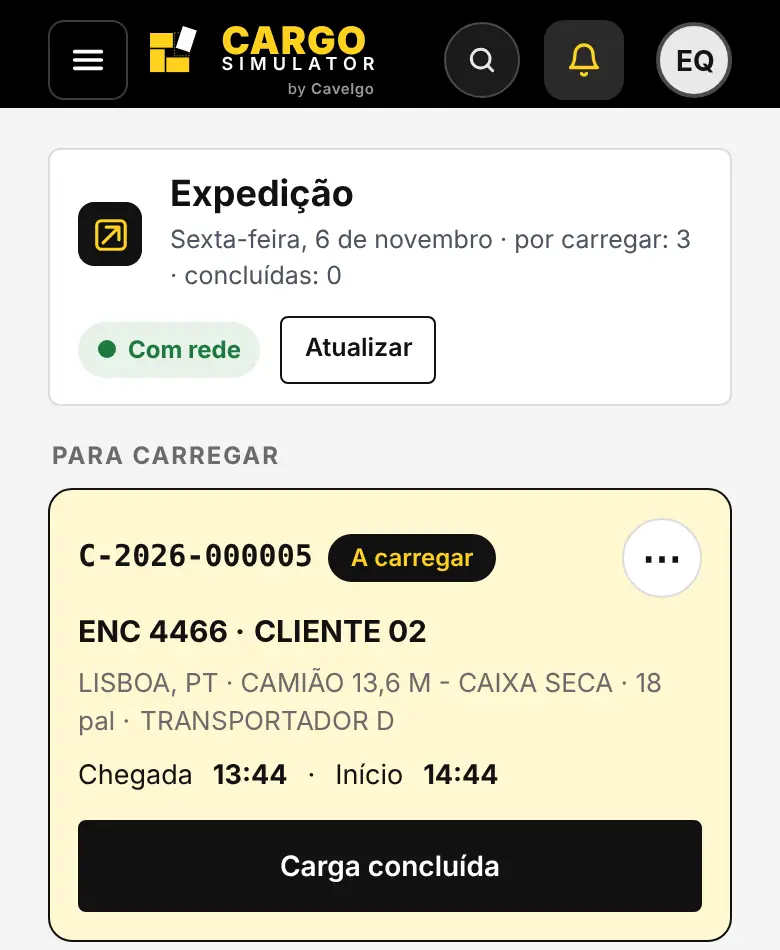
Shipping on the phone: the day's loads at the dock (fictitious data).
Screens with fictitious demo data.
  • 3D pallet configuration
  • Optimised load plan
  • Top and 3D view
  • Transport quotes compared
  • Daily shipping occupancy
  • Shipping on phone and tablet
  • PDF loading guide
  • Load split across several transports
  • Offline work recording
  • Conversations and attachments on the load
  • Cost and KPI reports
  • Costs visible only with permission
Overview

A well-made load starts long before the truck arrives.

Cargo Simulator brings the whole loading process into a single platform. It defines the best configuration for each pallet and optimises the load plan. It also handles the administrative work around it, from transport enquiries and quotes to the shipping schedule.

The schedule shows shipping occupancy day by day and lets each load be booked according to the shipping plan. The reports gather the indicators that help reduce cost and effort and improve the outcome of every shipment.

On the loading dock, the Shipping module follows the load from start to finish, from the transport's arrival at the premises to the end of loading. The office team knows at all times which stage the load has reached.

Cargo Simulator runs in the browser, installs on Android and iOS from the browser and keeps recording work without a network connection.

From the first calculation to the closed truck door, every load stays in one place.

How it works

From pallet optimisation to transport enquiries and shipping.

  1. 01

    Load and pallet optimisation

    The pallet is built according to each product's rules and the load is arranged in the truck, container or van. The result is visible before loading.

  2. 02

    Transport market enquiry

    Carrier quotes are gathered in the same enquiry, ready to compare.

  3. 03

    Load scheduling

    Each load gets a shipping day, with that day's occupancy visible when booking.

  4. 04

    Shipping

    On the loading dock, each loading step is recorded on the phone or tablet, and the office follows the current stage.

Modules

Six modules, from the pallet to the loading dock.

Screens with fictitious demo data.
01Packaging Configurator

Packaging Configurator: Pallets and boxes, layer by layer, in 3D

Mixed pallets of boxes, bags and rolls, built within the maximum height and weight. The configurator respects each product's loading order and orientation and indicates when a separator sheet is needed.

The warehouse receives a PDF assembly guide, layer by layer. The pallet can be saved as a product and goes straight into the load simulation.

Packaging Configurator: 22 packages on a four-layer pallet, seen from above and from the side (fictitious data).
02Load Simulation

Load Simulation: How many pallets fit and how to arrange them

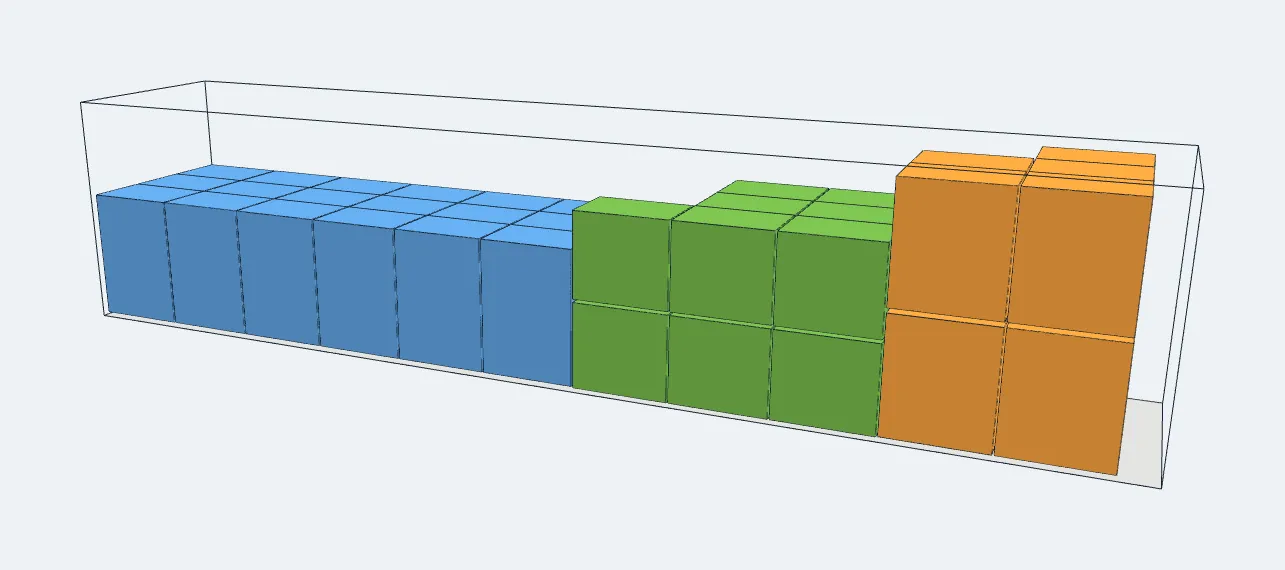
You set the transport and the quantities. The calculation engine tests several arrangements and presents the best one: what fits, what is left out, the length used, the volume and the weights.

When the load exceeds one transport, it is split across several. The loading team receives the guide in the browser or as a PDF, with top and 3D views.

Truck loaded with pallets of three products, in 3D view (fictitious data).
03Enquiries, quotes and loads

Enquiries, quotes and loads: From price request to load

Before there is a customer or a shipping date, the enquiry gathers carrier quotes by Incoterm, destination and mode, and highlights the cheapest and the fastest.

Once the enquiry is closed, the load keeps the quotes, conversations and attachments. When the chosen quote is not the cheapest, the reason is recorded. Each load shows its current phase, from opening to loaded truck.

Enquiry with four transport quotes and the cheapest highlighted (fictitious data).
04Schedule

Schedule: Shipping occupancy, day by day

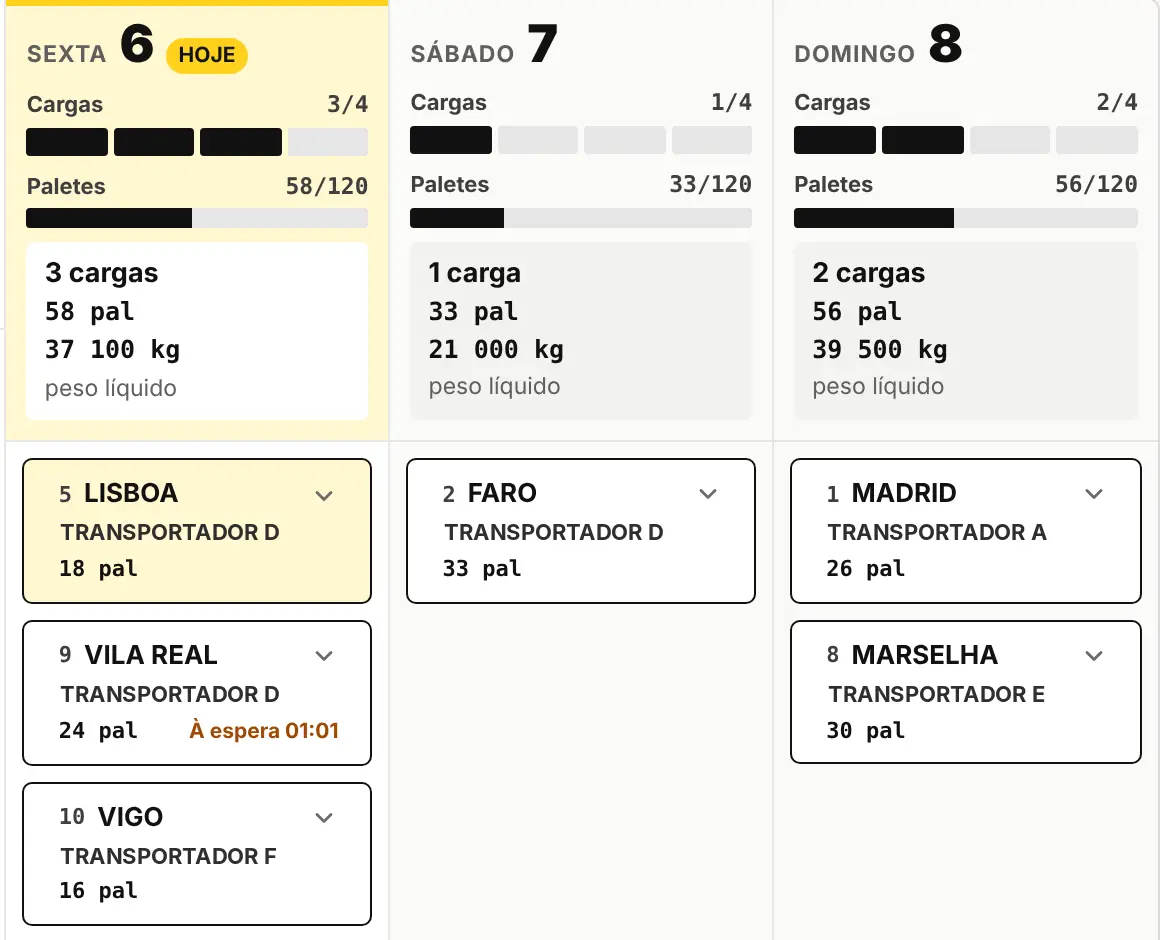
The shipping week or month on a single screen, in loads and pallets per day. Each load is booked according to the shipping plan, and anything not yet confirmed appears as provisional.

Shipping schedule from Friday to Sunday, with each day's occupancy (fictitious data).
05Shipping

Shipping: The load tracked on the loading dock

From the transport's arrival to the end of loading, each step is recorded as it happens. Waiting and loading times are stored on the load itself, and the office knows which stage it has reached.

How it works on the loading dock
06Reports

Reports: Indicators to reduce cost and effort

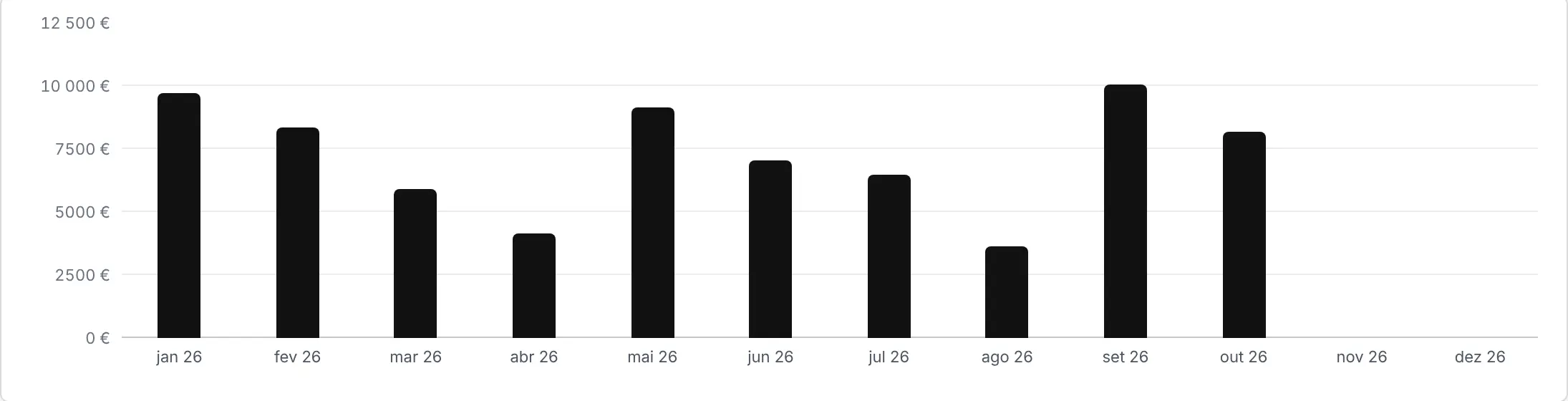
Loads and costs by period, country, city, type, forwarder and user, plus shipping occupancy. Each person can save their reports and export them as CSV.

Monthly cost report, as a bar chart (fictitious data).
On the loading dock

Shipping on the phone and tablet.

Cargo Simulator runs in the browser, installs on Android and iOS from the browser and keeps recording work without a network connection. The Shipping screen was designed for the loading dock.

  • 1Installed from the browserOn iOS and Android, it sits on the home screen and opens like an app.
  • 2Uninterrupted work offlineActions are queued and sent when the connection returns. Records made offline are flagged, and the screen shows the connection status.
  • 3Arrival, start and completion"Truck arrived", "Start loading" and "Loading complete": one button for each step, on the load's own card.
  • 4Loading guide beside the truckThe loading guide opens on the phone or tablet itself.
  • 5Visibility for the officeThe office team sees which stage each load has reached, how long the transport waited and how long loading took.
Shipping on the tablet: three loads with the "Loading complete", "Start loading" and "Truck arrived" buttons (fictitious data).
Tablet · The day's loads, each at its own stage.
Shipping on the phone: a load being loaded, with arrival and start times and the "Loading complete" button (fictitious data).
Phone · The current load and the completion button.
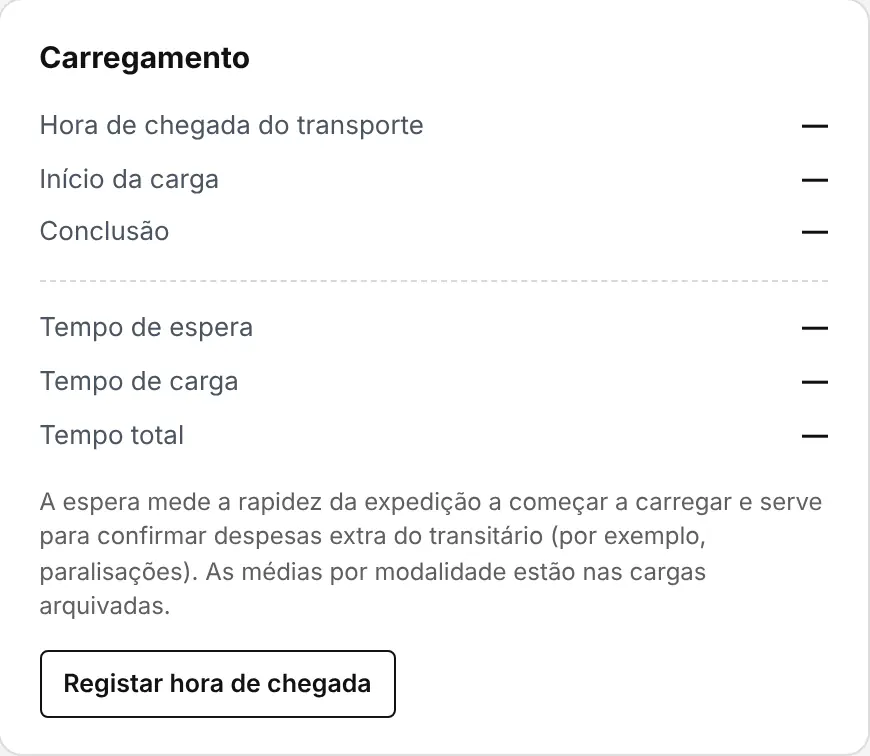
Load record: the five phases and the loading panel with arrival, start, end and times (fictitious data).
Load details · The load phases and the arrival, start and end times.
Screens with fictitious demo data.
Organisation

One platform for the whole team.

01

Role-based access

Administrator, User, Viewer and Shipping roles, plus custom roles. Costs are shown only to those with permission, and the Shipping role does not see them.

02

One space per organisation

Each organisation has its own address and its own accounts. Each account can access only the organisation it belongs to.

03

Information kept with the load

Conversations stay on the load they relate to, with mentions. PDFs, Excel files, images and emails are attached to the load, the enquiry or the quote.

04

Predictable calculation

The calculation engine does not use artificial intelligence. With the same data, it produces the same load plan.

Demo

Request a demo

Price on requestReply within 2 working days

The button opens a pre-filled email to support@cavelgo.com. Demo requests are answered within 2 working days. If the email does not open, the address can be copied below.

support@cavelgo.com
FAQ

FAQ

What is Cargo Simulator?

Cargo Simulator manages the loading process end to end: from the pallet to the load plan, from quotes to the shipping schedule, from the loading dock to the reports. A single platform to plan, carry out and track every shipment.

Which transports come preconfigured?

By default, 13.6 m trucks come configured, in dry van and mega versions, along with containers in several sizes, from 20 to 53 feet. Other means of transport and other sizes can be added.

Does the calculation use artificial intelligence?

No. The calculation engine is deterministic: with the same data, it produces the same load plan.

Does it check axle weights and transport regulations?

No. Cargo Simulator optimises space and shows the load weights. Axle weight distribution and compliance with legal transport rules remain the planner's responsibility.

Can it be installed on a phone or tablet?

Yes. It installs from the browser on iOS and Android, sits on the home screen and opens like an app. The Shipping screen was designed for the loading dock.

Does it work offline?

Yes. Without a connection, work is still recorded: actions are queued and sent when the connection returns.

How much does it cost?

On request.

What happens to the data if the company stops using it?

The organisation can export its data before leaving. Any data not exported is deleted immediately.

How do I request a demo?

Through the "Request a demo" button, which opens a pre-filled email, or directly at support@cavelgo.com. Replies are sent within 2 working days.